Manage Hierarchy Preference
A hierarchy structure in an organization is defined to rank members according to their designations. Zoho CRM provides two different hierarchy structures for your organization: Role Hierarchy and Reporting Hierarchy. You can select the hierarchy preference under Zoho CRM's Company Settings.
For both the hierarchy structures, you need to define roles and assign it to users. A user can be associated to only one role at a time.
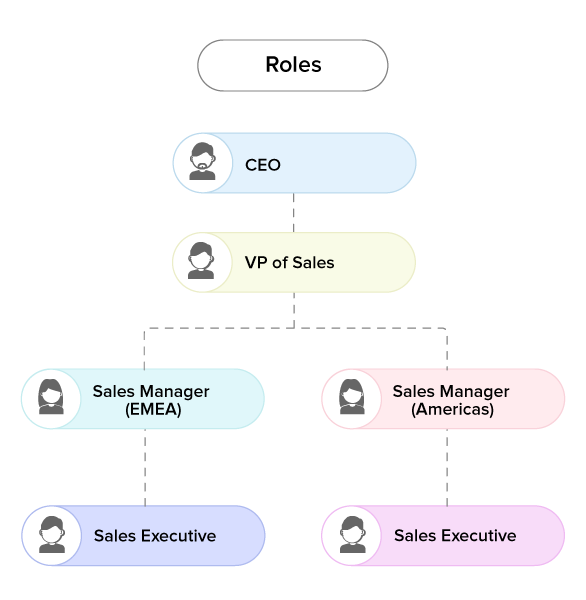
Role Hierarchy - In this structure, access to a user's data is based on the roles. Users at higher hierarchy can view the data of users in the subordinate roles. For instance, Zylker Inc. follows the below hierarchy structure, here the CEO or Administrator can view the entire organization's data. And, the Sales Managers can view the data of all the Sales Executives. See Also Manage Roles.
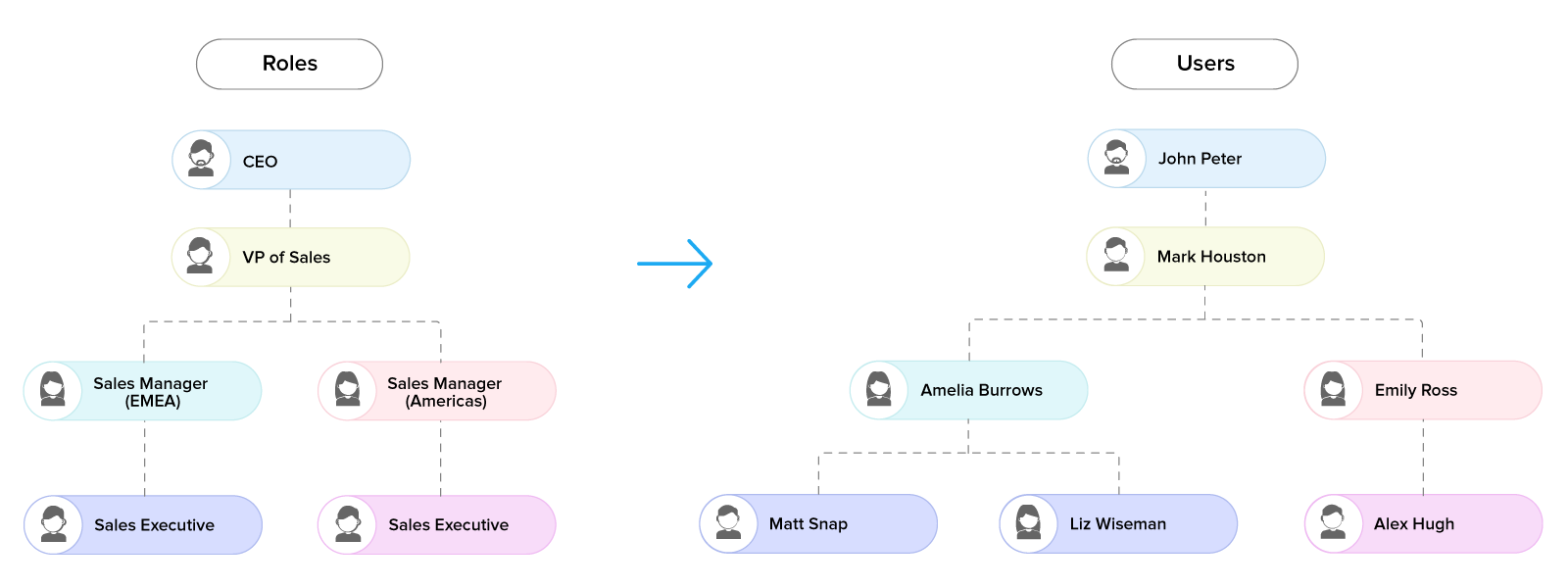
Reporting Hierarchy - In this structure, unlike role hierarchy, a user can be assigned a reporting manager who can view the data. Any member at the higher role in the organization can be assigned as the user's reporting manager. See Also Reporting Hierarchy.
Related Articles
Creating Reporting Hierarchy
In Zoho CRM's Reporting Hierarchy, you can set up the organization's hierarchial structure based on your user roles, and also you can assign users to appropriate reporting managers for a well-defined record accessibility. In this structure, a user is ...Managing Roles
In Zoho CRM, you can set up the organization-wide hierarchy using Roles. Users at a higher hierarchy can always access all the records of at a lower hierarchy. For example, a Sales Manager can access all the Sales Reps' records whereas Sales Reps can ...Adding an Approval Process
Each approval process is associated with a rule that defines the process. By specifying such a rule, you can ensure that any record meeting the rule's criteria will automatically be submitted for approval. Automatic approval submissions reduce the ...FAQs: Calendar Booking in Zoho CRM
What is the calendar booking feature in Zoho CRM? Interacting with your prospects is a business requirement which needs a dedicated tool to address them. Many types of firms, such as tour and travel, hospitality services, insurance services, ...FAQs: Audit Logs
What is an audit log and how is it helpful? An audit log (or audit trail) is a list that shows what actions users have taken in your CRM, shown in the order they happened. It helps you see who did what, like what records were changed, added, or ...
How to's Videos